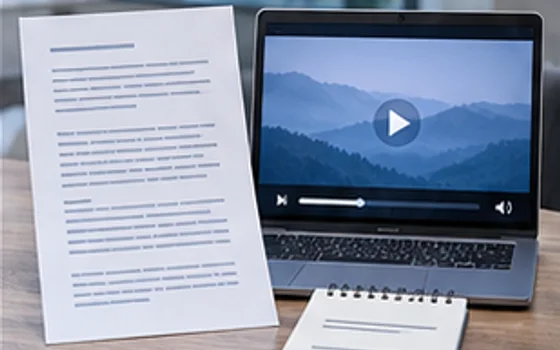
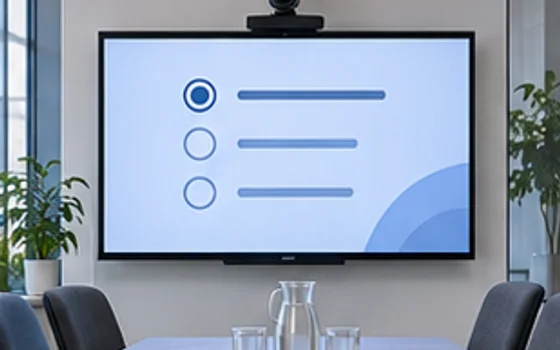
Test a hybrid meeting from a remote seat before people need to participate. Join from a laptop at a separate location and ask someone in the meeting room to speak as they normally would. Check whether you can follow two people sitting at opposite ends of the table. Then take a turn and ask whether everyone in the room heard you.
Send the agenda and material in a readable format in advance. Share a link to the document as well as displaying it on screen. The Web Accessibility Initiative’s guidance on remote meetings covers access to materials, captions, and inclusive platform features. Plan which supports people will need for the meeting, and give attendees a way to ask for them. World Wide Web Consortium
Check audio, captions, and access before the meeting
- Open the remote join link and test microphones, speakers, and the screen share.
- Confirm caption availability and arrange the required captioning support.
- Name a person to watch remote requests to speak and relay relevant chat comments.
- Make the agenda and any decision document available from the invite.
- Decide where to record an outcome that someone can read afterward.
GitLab’s remote meetings handbook describes how mixing room and remote attendees can create an uneven experience. Its meeting guidance includes sharing context and verbalizing important material. If several people join separately from the same room, set sound devices deliberately to avoid echoes and check that remote voices are still audible. GitLab
Inspect the meeting from two different seats
Set up a short test with the equipment people will actually use. Have someone join from outside the room and let another person sit where remote voices reach them through the room speakers. Ask a participant near the end of the table to say a short sentence at their normal volume. Try a reply from the remote seat. If one listener misses the start of a sentence, check whether the speaker is close enough to a microphone and whether the system changes which microphone it selects. Test again after you move equipment or ask people to face the microphone. Use the result to decide if the room is suitable for a conversation where people must hear small differences.
Check the shared files separately. A presenter might select a slide with small type and a detailed chart. Send the approved file or a readable version ahead of time when you can. Provide the chart’s conclusion and refer to the specific line when discussing it. A person reading with assistive technology or joining on a small screen may need the information in a different format. Open the link from an account with the same access level as remote participants and make sure it reaches the right version. The W3C’s remote-meeting guidance discusses accessible materials and the features of meeting services that support participation. World Wide Web Consortium
Test the caption setup using names or terms people will actually say. Automatic captions can mishear jargon or numbers. Give the facilitator a way to ask for a pause and clarification. If a participant needs a particular captioning or interpretation service, plan it before the meeting and ask what they need to use it. Individual access needs differ, and a short audio check can’t tell you how useful the captions will be for a particular person. Give attendees a way to request support without discussing it publicly in the invitation.
Let remote attendees see where decisions happen
Imagine a working session where people in the room mark up a printed schedule. The camera can see the room, but the grid on the wall is too small to read. Share a digital copy before the call and ask the facilitator to describe each proposed date or highlight it within the shared file. Keep a running list of changes somewhere remote participants can open. If someone speaks from the room without using the shared document, have another person record the relevant point. When the group comes to a decision, say the final dates and where they are recorded.
Agree on the route for questions. One person can watch chat and raise items when the presenter pauses. The chair can read out names or alternate the first answer between remote and in-room participants when that suits the group. Remote staff may also need a way to ask questions after trying to access a document. Give them a known channel and time for a response. GitLab’s remote meeting guide discusses difficulties in hybrid meetings and offers practices for making context and verbal cues usable. Borrow the parts that solve the barrier you observed. GitLab
Agree how to pause or move an inaccessible discussion
Choose what to do if a remote speaker cannot be heard or accessible material is unavailable. For a discussion, pause while someone checks the device and let attendees know what is happening. If the group is about to choose a date, move the choice to a written place if participants can all use that alternative. Explain what material they should review and when you will decide. If the support they need is unavailable, find a usable time or format and record that the unresolved point stayed open.
After the meeting, read the notes and links at the same level of access as the participants. Check whether captions or records are available as agreed, under the team’s rules for recording and sharing. Ask if any access problem affected someone’s ability to contribute. Adjust the next session based on what people experienced. A change in room, meeting platform, or equipment can be enough reason to repeat the test. Keep the list of who does each check beside the next invitation.
Use the same turn-taking rule for everyone
Have the facilitator read the next name aloud and offer pauses after a question. If a person points at an item on a slide, say its name or position. If the discussion moves to a wall board, give remote attendees access to the current version or read the changes as they happen.
Suppose a caption feed drops midway through a decision. Pause, tell the group what happened, and use the fallback you agreed on. Depending on the participants’ needs, that may mean restarting the feature or moving the decision to an accessible written thread. Capture the outcome and the question the group was answering before resuming.
Put captions, notes, and assigned actions where a colleague can catch up after missing the meeting.